
Updated 31 October 2026
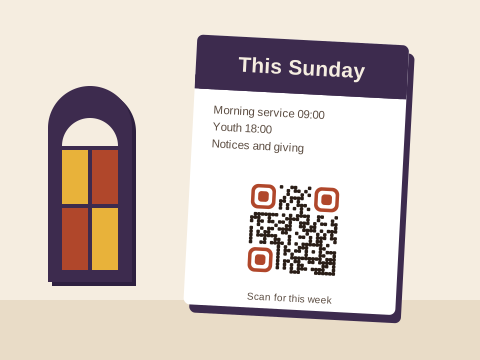
A church prints more than most organisations its size: the Sunday notices, the giving card in the pews, posters for the bazaar, the youth camp form, a welcome pack for newcomers. Codes let each of those open something fuller, and something that can change during the week.
The weekly notices
Most churches keep one code in the notices template and let the page behind it change every week. The church bulletin guide sets that up from start to finish, photocopier included, so there’s no need to repeat it here.
Giving and scan to pay
Many members no longer carry cash on a Sunday, so a giving code beside the offering bag, on the back of the notices and on the card in the pews lets them give with the phone in their pocket. Point it at the payment link the church already has: a SnapScan or Zapper payment link, a Yoco payment page, a page on the church’s website with a Payfast Pay Now button, a page with the church’s bank details for EFT, or a PayShap payment link, if your bank gives you one that stays the same. Baobab QR never takes the payment. The gift travels from the giver to the church’s account through the service you chose, and we never see it. On Plus or Pro, if the church moves to another provider or bank, change the code’s link once and the cards in the pews stay as they are. On Free, link to a giving page on your website whose address won’t change.
For a building fund, a mission trip or the soup kitchen, the donation guide covers collection tins, banners and suggested amounts in rand.
Services, events and visitors
- The free Event tool makes a code that adds one service or meeting to a phone’s calendar: the carol service, confirmation Sunday, the congregational meeting. Make as many as you like, but each holds a fixed date once printed.
- For the bazaar, a concert or the men’s breakfast, a poster code that opens the event’s page or a booking form does more than a date can; the event poster guide has the detail.
- A Wi-Fi code in the hall saves visitors and the sound team hunting for whoever knows the password.
- An Email code on the prayer card starts an email to the prayer team with “Prayer request” already in the subject. It can’t change once printed, so give it a shared address rather than one person’s.
The church office gets messages about hall bookings, baptisms and pastoral visits. The WhatsApp tool makes a code that opens a chat with the office, the first words already typed, such as “Good morning, I’d like to book the hall for a function.”
WhatsApp groups for youth and cell groups
Youth, cell groups, the choir and the catering team often live on WhatsApp, and a code on a poster or the welcome card can open a group’s invite link. Admins reset that link now and then, often to keep strangers out, and from then on every printed copy of the old one is useless. On Free that means printing again. On Plus, make the poster’s code with the link tool and change it to the new invite link once: the posters on the wall keep working. Anyone who sees a poster can scan it, so for a youth group, turn on the group setting Approve new members, so that admins let each newcomer in. Our WhatsApp page says more about group codes.
Sermons and study material online
For recorded sermons, the bulletin guide explains which link keeps a template code right from week to week. On Pro, a PDF code can open the order of service or a study guide for the cell groups, made from a PDF file or up to 10 photos, and you can swap in next week’s file without reprinting.
Which plan fits
- Free: a free account saves 3 codes that always go to the same place, often enough for a small congregation: notices, giving and one group or form. Event, Wi-Fi, email and text codes are free and unlimited on top, since they hold everything themselves and can never change.
- Plus: 10 codes, each able to change where it goes up to 10 times a calendar month. It suits a church whose printed codes must keep working for years, with room to spare for a weekly change.
- Pro: 100 codes, changed as often as you like, PDF codes and the full scan history, for a large church with many ministries.
Downloading any code needs a free account: an email address and a password, with nothing to install. Prices are on the pricing page.
Keeping the giving code safe
A giving code is the one someone might cover with their own. Following our print tips, print it into the notices and the giving card rather than sticking it on, put its short address beside it so people can compare it with what their camera shows, and glance over the foyer noticeboard each Sunday.
On our side, every link is checked before the code goes live, again the next day and once a month after that, and a link that needs a closer look waits until we’ve checked it. If where a code goes is ever changed, the account’s owner gets an email, so a quiet change to the giving code wouldn’t slip past the church office. Anyone can report a code. If the church stops paying, its codes keep working under the Baobab Pledge. We don’t store IP addresses or use cookies when someone scans a code.
The ideas finder has more, with a set of ideas for groups, clubs and churches.
Sources
Checked on 31 October 2026:
- Giving links: SnapScan’s Payment Links page, Zapper’s page on online payments (QR codes shared as payment links), Yoco’s Payment Links page (one link per payment; a Payment Page for any amount from anyone) and Payfast’s Pay Now buttons (for a website or an email).
- WhatsApp groups: WhatsApp’s help pages How to create and invite into a group (an admin can reset the invite link, which ends the old one) and About group join requests (Approve new members).