
Updated 31 October 2026
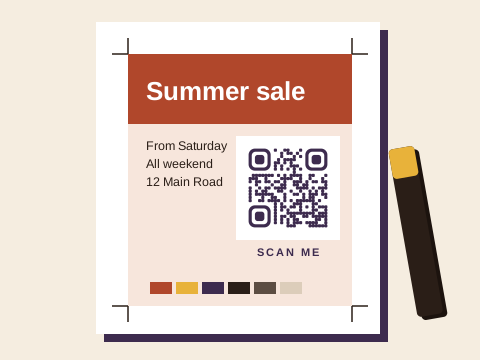
Customers bring QR codes to the counter every day: for menus and flyers, business cards and stickers, product labels, show-house boards, shop-front vinyl and the doors of bakkies. You print the pattern, but whether it still works next year depends on the web address inside it. When it stops, the customer usually comes back to you.
Why a code that keeps working protects the job
A code is printed once and scanned for years. Many codes hold a short address on a QR company’s domain, and some companies switch a code off when a trial or a subscription ends. The ink is fine, yet the customer is left with a dead code on a job you delivered, and the reprint, the rush and the awkward conversation land at your shop. The stopped-working guide explains why nobody else can rescue such a code.
Codes made with Baobab QR keep working if the customer stops paying for a plan, under the Baobab Pledge, so a Chromadek sign or a box of a thousand labels outlives a cancelled subscription. On Plus or Pro, the customer can also change where a printed code goes without new artwork. On Plus, each code can change where it goes up to 10 times a month; on Pro, as often as you like.
What to ask for before you print
- The downloaded file, not a screenshot. On our free link, WhatsApp and contact card generators, the preview holds a placeholder address until the code is downloaded, so a picture of it opens our “isn’t working yet” page.
- SVG or PDF for anything big. Both are vector, so they stay crisp on an A0 poster or a two-metre banner. A PNG at 2,048 pixels covers cards and flyers.
- The short address, shown at the top of the code’s page in the customer’s account, so you can set it in small type beside the code.
- A code in the customer’s own account. If you make it in yours, the change emails come to you, and only you can pause or change it later. A free account needs an email address and a password, and a first code takes a minute or two at your counter.
Check the proof with two phones
Scan the printed proof, not the file on screen, with two different phones, ideally an iPhone and an Android. Stand where people will stand: across a table for a menu, on the pavement for a shop window, in a parked car for a roadside board. Check that it opens the page the customer expects, quickly, on mobile data.
When a proof won’t scan, the usual culprits are a trimmed border (the empty margin round the code is part of it, so never crop it to fit a layout), a high-gloss laminate throwing glare under shop lights, a code reversed to light on dark, which not every phone reads, and a code too small for the distance. The line under every code in our generator gives the smallest safe width; the download and print help has the detail.
Print tips that stop fake stickers
Someone can stick a fake code over a real one, and a print shop is well placed to make that harder. These come from our safety page:
- Print the code into the material itself, as part of the menu, board or box, never on a separate sticker applied afterwards. A sticker is easy to cover with another one.
- Set the short address beside the code, for example baobabqr.app/7K2XQ9P, so anyone can check it against what their camera shows.
- Suggest that customers look at their printed codes now and then, and replace any that look tampered with.
A one-page note for your counter
We made a printable note for print customers: the explainer (PDF, one A4 page). It sets out in plain words why a code that keeps working matters for a print job, what to check before printing, and how to start for free, with a code that opens our site. Print a copy for the counter and hand it to anyone who asks which QR code to use, or who brings in one you’re unsure about.
Codes for your own shop
Your shop can use a few codes as well: a Wi-Fi code for customers waiting on a job, free and as many as you like; a WhatsApp code on the quotes board with “Hi, I’d like a quote for 500 flyers” already typed; and a contact card on your own business cards. For more, try the ideas finder.
How we look after the codes you print
We check every link before a code goes live, again the next day, and every month after that. A link that needs a closer look waits while we check it, and anyone can report a code. When a code is pointed somewhere new, the account’s owner gets an email, so a change to a printed code never goes unnoticed.
The plans, for the counter
- Free: an account with 3 saved codes (link, WhatsApp, contact card or app download) that always go to the same place, and as many Wi-Fi, email, text and event codes as you like, which hold everything themselves and can never change.
- Plus: 10 codes, each able to change where it goes up to 10 times a calendar month. It suits a one-off event, or a programme that must keep working for years.
- Pro: 100 codes, changed as often as you like, PDF codes from a file or up to 10 photos, and the full scan history.
Every download needs a free account. Prices are on the pricing page.