
Updated 31 October 2026
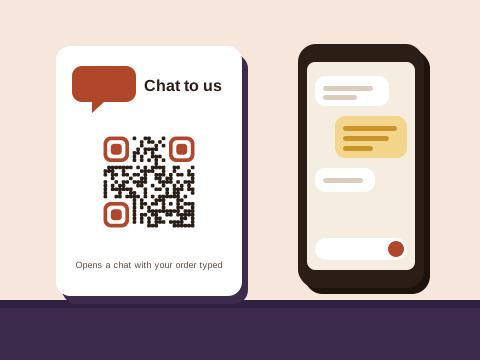
Plenty of businesses here have no website and don’t miss one. The shop is a WhatsApp number, the catalogue lives in the app, and the regulars sit on a broadcast list. Stokvels, street committees, running clubs and school parents work the same way, organising everything in a group. Printed codes do three jobs for all of them: they start a chat, open the catalogue or an order form, and bring new people into a group.
A chat that’s already started
The generator at the top of this page is our free WhatsApp tool. Its code opens a chat with your number and puts your words in the message box, so the person scanning only has to press send. A few openings, by trade:
- A hairdresser: “Hi, I’d like to book a cut and blow-dry for (day).”
- A plumber, on the bakkie door: “Hi, I’ve got a leak in (suburb). When can you come?”
- A maths tutor, on the library noticeboard: “Hi, I’m looking for lessons for Grade (number).”
If the chat is for orders, the WhatsApp order guide covers the message itself.
Your catalogue, channel or order form
A chat code starts a conversation. When people should look around first, make a link code instead and point it at one of these:
- Your WhatsApp Business catalogue. The WhatsApp Business app lets you copy a link to the whole catalogue.
- A WhatsApp channel, through the link WhatsApp gives every channel, if you post stock, specials and closing times there for anyone to follow.
- An order form or price list on a page you can edit, such as a Google Form or a page on your website.
These addresses stay put while you add products and change prices, so one of your free codes handles each of them.
Group-join codes, and why invite links get reset
A poster with a group’s invite link is how a neighbourhood watch, a hiking club or a new stokvel finds members. The catch is that invite links don’t last. Any admin can reset the link from the group’s info, and admins do: after it has spread further than they meant, or to keep strangers out once one has slipped in. WhatsApp then makes a new link and the old one stops working, and so does every poster, flyer and fridge magnet that carries it.
A code on Plus saves the reprint. Make a link code with the group’s invite link, and after a reset open the code in your account and change it, once, to the new invite link. Anyone scanning last year’s poster lands on the new link within a minute, once the new link passes its check.
Two habits keep a group code useful:
- Turn on Approve new members in the group’s settings, so a public poster lets people ask to join rather than walk straight in.
- Keep the code with the group, not one person. Keep the group’s codes in an account one person holds, under an email address that belongs to the role, such as the secretary’s, and hand the account on with the role. Never share one login among several people.
Where WhatsApp codes end up
- Bakkie doors and van canopies.
- The counter, the till and the shop window, for messages after hours.
- Business cards, quotes and delivery slips.
- Fridge magnets for the gas delivery, the patrol phone or the plumber.
- Noticeboards at the library, the church hall and the school gate.
- Flyers in letterboxes; the flyer guide has the words to print beside the code.
People who’d rather keep your details than chat right now can scan a contact card code labelled “Scan to save my details”. More ideas, sorted by what you print on, are in the ideas finder.
Which plan suits you
Downloading any code needs a free account: an email address and a password.
- Free keeps 3 codes in your account, such as a chat code, a catalogue link and a contact card. Each one always goes where you first pointed it, so print a number you mean to keep. Wi-Fi, email, text and event codes are free in any number: they carry everything inside the pattern, which is also why they can never change.
- Plus holds 10 codes, and each can change where it goes up to 10 times in a calendar month. That’s what a group-join code needs, and it suits a group whose posters must keep working for years, or a one-off event.
- Pro holds 100 codes that change as often as you like, adds PDF codes (a price list from a PDF file or up to 10 photos) and keeps every code’s full scan history.
What each plan costs is on the pricing page.
Codes people can trust
A fake code stuck over yours could send your customers, and their money, to someone else’s number. A few habits from our safety tips help: print the code into the poster or card rather than on a sticker on top, print the code’s short address and your number beside it so people can check, and look at your printed codes now and then.
On our side, every link is checked before a code goes live, again the next day and then each month, and a link that needs a closer look waits while we check it. Whenever one of your codes is pointed somewhere new, the account’s owner gets an email, so a change can’t slip by unnoticed. Anyone can report a code. And if you stop paying for Plus or Pro, your codes keep working, as the Baobab Pledge sets out.
We don’t store IP addresses or use cookies when someone scans a code.
Sources
Checked on 31 October 2026:
- WhatsApp’s help pages: How to create and invite into a group (an admin resets an invite link, and the old one stops working), About group join requests (the Approve new members setting), How to use click to chat (wa.me links with a message typed), sharing catalogue links (copying a link to the whole catalogue) and About creating a WhatsApp Channel (each channel’s link).
- The page a wa.me link opens in a browser, which offers to download WhatsApp.