
Updated 16 November 2026
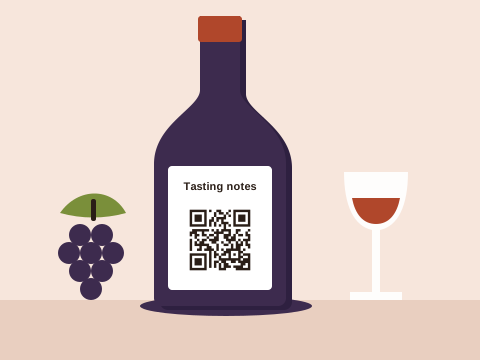
A wine farm prints more than most businesses its size: bottle labels, tasting sheets, a chalkboard at the cellar door, a wine club form, posters for the harvest festival, a sign at the gate with this week’s hours. Each is a place where a visitor with a phone in hand would happily read more, if the paper told them where.
The codes a wine farm uses
| Job | The code | Where it’s printed |
|---|---|---|
| Tasting notes | Link to the wine’s page, or PDF on Pro | The tasting sheet, the shelf talker, the back label |
| Joining the wine club | Link to your sign-up form | The tasting counter, the order form, the shipping box |
| Reviews | Link to your Google review form | The till, the tasting menu, the exit |
| Tasting room Wi-Fi | Wi-Fi | Table cards, the counter |
| Festivals and events | Event (adds to the calendar), or a link to tickets | Posters, the website, social posts |
| Finding the cellar | Link to a map pin | The turn-off sign, brochures, the website |
| Paying | Link to your payment page | The till, the deli counter |
Tasting notes behind every bottle
A tasting sheet has room for a line or two per wine. Behind a code there’s room for the whole story: the vineyard block, the vintage’s weather, how long it spent in oak, what to cook with it, and when to open it. Give each wine its own page on your website and print its code on the tasting sheet and the shelf talker beside the bottle. The generator at the top of this page starts with the label “Scan for tasting notes” in a frame; type the wine’s page and download.
When next year’s vintage comes in, update the page rather than the print: a link code keeps opening the same page while you change what’s on it. On Pro, a PDF code can open the technical sheet you already send to buyers, made from a PDF file or up to 10 photos of the printed one. What else belongs behind a code on a bottle or a box is in the product packaging guide.
The wine club
Many club members sign up at the tasting counter, when the form and a pen are within reach. A code beside the form lets them do it on their own phone instead, so nobody’s handwriting has to be read later. Point it at the sign-up form on your website, or at a Google Form you’ve published (choose “Copy responder link” in the form). Put the same code in the box with each club delivery, with “Tell a friend about the club” above it. The feedback form guide explains how to keep such a form short enough that people finish it.
Reviews in the tasting room
People decide where to stop on a wine route by its stars. A review code earns its place where a visit ends: by the till, on the back of the tasting menu, on the way to the car park. The Google review guide shows where to find your review link and where customers are most likely to scan it.
Wi-Fi, events and visitors
A Wi-Fi code on the table cards saves your staff spelling out the password during the Saturday rush, and it doesn’t use up one of your saved codes. For a harvest festival, a blending workshop or a vertical tasting, the free event tool makes a code that puts the date, time and place in the visitor’s calendar; the event poster guide covers posters. Event codes are fixed once made, so make one for each date.
Farm roads confuse map apps. Drop a pin on the cellar’s actual entrance in Google Maps, share it, copy the link and make a link code with the Map pin icon for the turn-off sign and your brochures. A code at the gate can also open a page with this week’s tasting hours, so a closed gate on a Monday still tells people when to come back.
Scan to pay
At the deli counter or the cellar door, a code can take visitors straight to paying. Baobab QR never takes the payment: the code opens the payment link you already have, such as a SnapScan payment link or a Yoco payment page, and the money moves through that service. Print the service’s name beside the code. On Plus or Pro, if you change provider, change the link and the sign stays where it is.
Which plan suits a wine farm
Downloading any code needs a free account: an email address and a password.
- Free keeps 3 saved codes, say the wine club form, the review link and the map pin, and each always opens what it was made with. Wi-Fi, event, email and text codes cost nothing in any number.
- Plus holds 10 codes, each able to change where it goes up to 10 times a calendar month: enough for a code per wine in a small range.
- Pro holds 100 codes that change whenever you like, PDF codes and the full scan history, for a farm with a long list of wines.
Prices are on the pricing page.
Codes visitors can trust
We check every link before a code goes live, again the next day, and every month after that, and a link that needs a closer look waits while we check it. Whenever one of your codes is pointed somewhere new, the account’s owner gets an email about it. A visitor who wonders where a code leads can look it up on Check a code, and anyone can report a code. Print each saved code’s short address beside it, and print codes into the label or sheet rather than on stickers; the safety tips have more. And under the Baobab Pledge, your codes keep working if you stop paying.
We don’t store IP addresses or use cookies when someone scans a code.
Sources
Checked on 16 November 2026:
- Google Business Profile Help, Tips to get more reviews: customers can visit a Google link or scan a QR code to leave a review.
- Google Docs Editors Help, Publish and share your form: a form is published first, then shared with “Copy responder link”.
- Google Maps Help, Share a map or directions: drop a pin, then share it.
- SnapScan Payment Links and Yoco Payment Links: links to copy and share for payments.