
Updated 31 October 2026
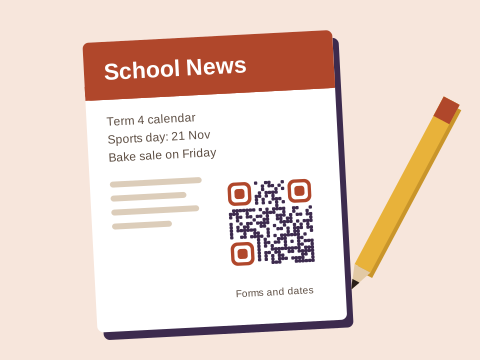
Schools send home more paper than almost anyone: the newsletter, the term calendar, consent forms, fundraiser letters, the stationery list, the concert programme. Most of it is read days later, at home, by a parent with a phone in hand, which is exactly when a code earns its place.
The newsletter and the term calendar
The newsletter is where most schools begin, with one code in the same spot in every issue opening a page of this term’s news and forms. The school newsletter guide covers it fully, so this page won’t repeat it.
The term calendar is the code parents reach for most. Keep one calendar page on the school’s website and update it as dates firm up, and a Free code on the printed calendar opens the right dates all year. If each term’s calendar lives at a new address, a Plus or Pro code can be pointed at the new one when the term begins, and the copy on the fridge never needs replacing.
For the big fixed days, such as sports day, prize-giving or the matric farewell, a code from the free Event tool puts the date, time and venue into a parent’s calendar. Each one holds a single day and can’t change after printing, so keep it for dates nobody will move.
Forms parents fill in
Consent for an outing, aftercare registration, applications for next year, the allergy form: a link code beside each one opens the online form there and then, before the letter disappears into a school bag. For surveys of parents, the feedback form guide shows how to keep them short enough to finish.
Fundraisers
Civvies day, the market day, the fun run, a raffle, the Grade 7 tour: a code on the letter or the poster can open the school’s payment page or a fundraising link, with the amount printed beside it, say R20 for civvies day. The money goes to the school through its own payment service; Baobab QR never handles the payment. Collection tins and suggested amounts are in the donation guide, and posters for the school fair in the event poster guide.
A fundraiser the parents’ association runs every year can keep its banners and posters: on Plus or Pro, point the code at this year’s entry page, and at next year’s when the time comes.
Class WhatsApp groups
Parents’ class groups are usually started afresh each January, and a group’s invite link also changes whenever an admin resets it, which they sometimes do to keep out people who shouldn’t be there. A printed code holding the old link then leads nowhere. On Plus, make the code once with the link tool and change it to the new invite link after each reset: the welcome letter and the sign on the classroom door keep working. Anyone who sees the code can scan it, so turn on the group setting Approve new members and let admins say yes to each parent. Our WhatsApp page goes into group codes further.
For messages to the office, the WhatsApp tool makes a code that opens a chat with the first words typed, such as “Good morning, my child is ill today. Name and class:”. A Free code does this for years, as long as the office number stays the same.
Crèches and the youngest classes
A crèche sends home less paper, but parents read every word. Three codes that suit one:
- In the welcome pack, a contact card code that saves the crèche’s numbers, address and hours to a parent’s phone in one go.
- On the weekly menu or theme sheet, a PDF code on Pro, made from the file or from photos and replaced each week; on Free or Plus, a link to the page where you post it.
- On the wall at an open evening, a Wi-Fi code so visiting parents can get online without asking.
Which plan fits
- Free: a free account saves 3 codes that always go to the same place, which covers a crèche or a small school: a news page, the calendar page and the office’s contact card. Wi-Fi, email, text and event codes are free and as many as you like, and can never change, because everything is inside the code.
- Plus: 10 codes, each able to change where it goes up to 10 times a calendar month. It suits a programme that must keep working for years, such as the yearly fun run or class groups started again each January.
- Pro: 100 codes, changed as often as you like, PDF codes and the full scan history, day by day, for every code.
Downloading any code needs a free account: an email address and a password. Prices are on the pricing page.
Codes parents can trust
A code that comes home from school should be one parents can trust. We check every link before your code goes live, again the next day, and every month after that, and a link that needs a closer look waits while we check it. If anyone changes where a code goes, the account’s owner gets an email about it, so the office would hear of a change nobody mentioned. Anyone can report a code. We don’t store IP addresses or use cookies when someone scans a code.
Our print tips come down to three habits: print codes into the newsletter or poster rather than on stickers, print each code’s short address next to it so parents can check it, and look at the noticeboard by the gate now and then. And if the school stops paying, its codes keep working, as the Baobab Pledge says.
The ideas finder suggests more, three ideas at a time.
Sources
Checked on 31 October 2026, in WhatsApp’s help pages: How to create and invite into a group, on how an admin resets a group’s invite link so the previous one no longer works, and About group join requests, on the Approve new members setting.