
Updated 31 October 2026
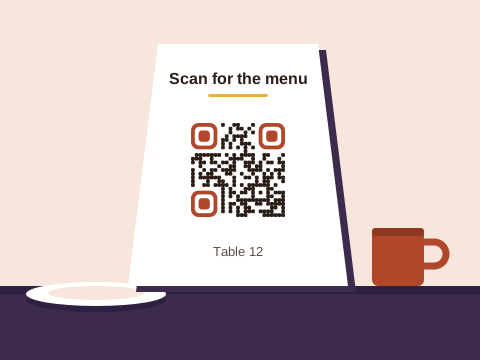
A busy café can have half a dozen codes on show: the menu on every table, the Wi-Fi beside it, a review card at the till, a WhatsApp code on the takeaway bag, a poster in the window when the kitchen is short of hands. Each code does one job, and most of the work is picking the right kind of code for each.
Which code does which job
| Job | The code | Where it’s printed |
|---|---|---|
| The menu | Link, or PDF on Pro | Table cards, the menu cover, the window |
| Guest Wi-Fi | Wi-Fi | Table cards, the counter |
| Reviews | Link to your Google review form | The bill folder, the till, the door |
| Takeaway orders | Boxes, bags, flyers, fridge magnets | |
| Paying | Link to your payment page | The till, the bill folder |
| Hiring | WhatsApp or email | A poster in the window |
| Quiz nights and specials | Event (adds to the calendar) | Posters, the specials board |
The menu
Menu codes have a guide of their own: the restaurant menu guide takes you from choosing the link to testing a card at the table.
Wi-Fi at the table
A Wi-Fi code on the table card joins a phone to the network in one scan, so nobody spells out the password twice, and it doesn’t use up a saved code. If you change the password often, the hotel guest information guide explains what that means for the printed cards.
Reviews and feedback
A review code works best where the meal ends: in the bill folder, beside the till, or on the inside of the door as people leave. The Google review guide shows where to find your review link. For private feedback, a second code can open a short form instead; see the feedback form guide.
Takeaways and WhatsApp orders
For a takeaway, the code that earns its keep goes on everything that leaves the shop: the pizza box, the bag, a magnet with the first delivery. It opens a WhatsApp chat with your number and the start of an order typed, so Friday’s repeat order is a scan and a tap. The WhatsApp order guide helps with that first message, and our page for businesses that run on WhatsApp has more.
Hiring
When you need a waiter, a barista or a cook, a window poster with a WhatsApp code collects applications from people walking past. Pause the code once the post is filled, and resume it for the next one. The job poster guide has the rest.
Scan to pay
A code at the till can take customers straight to paying, though Baobab QR never takes the payment: the code opens the payment link you already have, and the money moves through that service. It might be a SnapScan or Zapper payment link, a Yoco payment page, a page on your website with a Payfast Pay Now button, a page with your bank details, or a PayShap payment link, if your bank gives you one that stays the same. Print the name of the service beside the code, and the price if it’s fixed, say R85 for the breakfast special. On Plus or Pro, if you switch provider, change the link in your account and the printed sign stays on the counter. On Free, a code keeps its first link.
Specials and events
A quiz night, live music on Saturday, a Mother’s Day lunch: the free event tool makes a code that adds the date, time and place to the phone’s calendar. Event codes, like Wi-Fi codes, are free in any number and fixed once made, so make a fresh one for each date. More ideas are in the ideas finder.
Which plan
Downloading any code needs a free account: an email address and a password.
- Free keeps 3 saved codes, say the menu, the review link and a WhatsApp order code, and each always opens what it was made with. Wi-Fi, event, email and text codes cost nothing in any number, because everything they do sits in the code itself, so they can’t be changed.
- Plus holds 10 codes, and each can change where it goes up to 10 times in a calendar month: room for a seasonal menu, a payment link that may change, or a stall at a festival that’s there for one weekend. It suits signs meant to last for years just as well.
- Pro holds 100 codes that change whenever you like, opens a PDF menu made from a file or up to 10 photos, and keeps the full scan history, which helps a business with a few branches.
Prices are on the pricing page.
Keeping your codes trustworthy
A sticker can go over a table code in seconds. The safety tips come down to three habits: print the code into the card, menu or sign rather than on a sticker on top, print a saved code’s short address beside it so guests can check where it leads, and look over the cards when the tables are wiped.
Our part: we check every link before a code goes live, the next day, and every month after that. A link that needs a closer look waits while we check it. Whenever one of your codes is pointed somewhere new, the account’s owner gets an email about it. Anyone can report a code. And under the Baobab Pledge, your codes keep working if you stop paying.
We don’t store IP addresses or use cookies when someone scans a code.
Sources
Checked on 31 October 2026:
- SnapScan Payment Links: a link to copy and share, paid by card, Instant EFT or the app.
- Zapper online payments: QR codes shared as payment links from the Merchant App or Portal.
- Yoco Payment Links: one payment per link, and a Yoco Payment Page as the one link any customer can use.
- Payfast Pay Now buttons: a button for your website or an email.
- Google Business Profile Help, Tips to get more reviews: a Google link or QR code for asking for reviews.