
Updated 31 October 2026
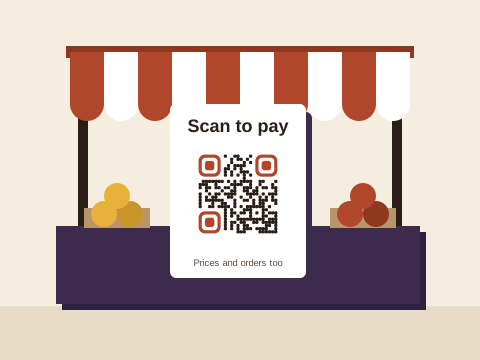
A spaza counter, a market table or a farm stall has one sign that matters more than the others: the one that tells people how to pay. After that come the price list, a way to order on WhatsApp, and word of when you’re open. Each can be a QR code on a card, a board or the side of a gazebo, and most cost nothing to make.
Scan to pay, with the link you already have
You don’t need a new payment service to take money by code. Point the code at the payment link you already have: a SnapScan or Zapper payment link, a Yoco payment page, a page on your website with a Payfast Pay Now button, a page with your bank details for an EFT, or a PayShap payment link, if your bank gives you one that stays the same. Baobab QR never takes the payment: the shopper’s phone opens your link, and the money goes from them to you through that service. The generator at the top of this page is our link tool, already set up with the label “Scan to pay”; under Change design you can type other words (up to 24 characters). Where a price is fixed, write it beside the code: “Braai wood, R40 a bundle”.
The printed sign is the hard part to replace, so let it outlast your payment provider. On Plus or Pro, when you change provider, you change the link in your account and the sign on the counter stays where it is. On Plus, each code can change where it goes up to 10 times a month; on Pro, as often as you like. On Free, a code always opens the link it was made with, so a new provider means a new sign.
Price lists that keep up with prices
At a spaza, prices move with every delivery, so a list behind a code beats one painted on the wall:
- A page you keep up to date, on your own website or an online list you edit from your phone. You change the page and the code never needs to, on any plan.
- Photos or a PDF, on Pro. Up to 10 photos of the chalkboard, or a PDF file, become one PDF code, and when bread goes from R22 to R25 a loaf, you replace them with new photos.
The PDF guide shows how to make a list easy to read on a phone.
Orders on WhatsApp
Your regulars already message you. A WhatsApp code opens a chat with your number and a first line typed, such as “Hi, I’d like to order” or “Is the bread in yet?”, so ordering ahead takes one scan. The WhatsApp tool makes it, and since your number stays the same, a free code does the job. Put the same code on the counter, the delivery bakkie and your flyers; a stokvel putting together its December bulk order can use the same chat. The WhatsApp order guide covers what to type.
Open, closed or open late
When the power goes off, or load-shedding shifts your hours, people want to know before they walk over. Point a code at a page you can update from your phone, such as your shop’s Business Profile on Google, which you can edit in the Google Maps app, and change the hours there: the code stays put and the page does the changing. Google may check an edit before it shows. Don’t put trading hours in a text code, which holds the words themselves, so they can never change.
Flyers, boards and reviews
For a market day, a new stall or a farm stall on a holiday route, a flyer or a roadside board carries your code further than the counter can; the flyer guide covers what to print beside it. At a farm stall, a code that opens your Google review form (the review guide) helps the next car decide to stop. For more trading ideas, from a market-day map to a list of what’s in season, try the ideas finder.
Keep your pay sign yours
A pay sign is the code someone is most likely to cover with their own, to send your takings elsewhere. These habits, from our safety page, make that harder:
- Print the code into the board, card or banner itself, not on a sticker stuck on top.
- Print the code’s short address next to it, for example baobabcode.app/4M8TD2C, so shoppers can see it matches what their camera shows.
- Look over your signs now and then, say when you open up, and replace any that look tampered with.
On our side, we check every link before your code goes live, again the day after, and every month from then on, and a link that needs a closer look waits while we check it. If a code is ever pointed somewhere new, the account’s owner gets an email, so a change can’t slip past you. Anyone can report a code. If you stop paying for a plan, your printed codes keep working, opening wherever they last pointed: that’s the Baobab Pledge.
Which plan suits a stall
Downloading any code takes a free account: an email address and a password, no app.
- Free: 3 codes saved in your account (link, WhatsApp, contact card or app download), each always going to the same place, plus as many Wi-Fi, email, text and event codes as you like. A pay sign, an order code and a price-list page fit.
- Plus: 10 codes, each able to change where it goes up to 10 times a calendar month. It suits a trader whose few signs must keep working for years while the links behind them change.
- Pro: 100 codes, changed as often as you like, PDF codes from a file or up to 10 photos, and your full scan history.
What each costs is on the pricing page.
Sources
Checked on 31 October 2026:
- Paying: SnapScan, Payment Links (a merchant’s link, paid by card, Instant EFT or the app); Zapper, online payments (QR codes shared as payment links); Yoco, Payment Links (a Payment Page is the one link any customer can use; a Payment Link takes one payment); Payfast, Pay Now buttons.
- Google Business Profile Help: Edit your Business Profile (editing from the Maps app on a phone, and changes reviewed before they go live) and Tips to get more reviews (a review link or QR code).