
Updated 31 October 2026
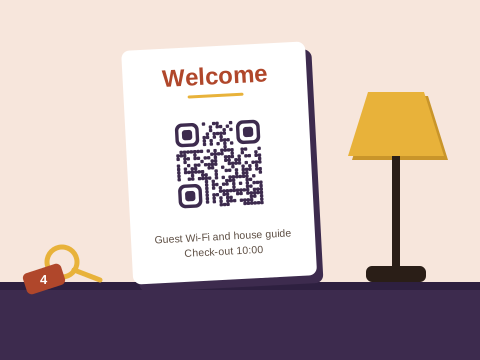
Guests tend to arrive tired, often after dark, and want three things fast: the way in, the Wi-Fi and somewhere to eat. Nearly every code a host prints answers one of those, which is why a good set of them means fewer WhatsApps at ten at night.
The codes a guesthouse uses
| Job | The code | Where it’s printed |
|---|---|---|
| Guest Wi-Fi | Wi-Fi | The bedside card, the lounge, the stoep |
| The house manual | Link to a page you edit, or PDF on Pro | A welcome card on the kitchen counter |
| Arriving at the gate | WhatsApp, with a message typed | The gate, beside the key safe |
| Finding you | Link to a map pin | Brochures, business cards, the turn-off sign |
| Local tips | Link to your list of places | The fridge door, the welcome book |
| Reviews | Link to your Google review form | The key-return box, the guest book |
| Your details | Contact card | The welcome book |
Wi-Fi without the password hunt
The generator at the top of this page is our free Wi-Fi tool. Type your network’s name and password, download, and a guest who scans joins without typing a thing. Wi-Fi codes don’t use up any of your saved codes, so make one per cottage or per network. What to do when the password changes, and where a Wi-Fi card shouldn’t go, is in the hotel guest information guide.
The house manual and check-in
The house manual is a page you write once and keep editing: check-in and check-out times, the gate remote, the geyser, the braai, bin day, the pool pump. A link code to that page stays right while its contents change, so one of your free codes covers it. On Pro, a PDF code can open a manual made from a PDF file or from up to 10 photos of the printed one. Keep door and alarm codes out of the manual; the hotel guide explains why.
Late arrivals are where a WhatsApp code pays off. Put one at the gate or beside the key safe with a message such as “Hi, we’re at the gate. Booking name: (name)”, and guests can tell you they’ve arrived without scrolling for your number. Print the number beside it too, for anyone without data.
Directions with a map pin
On a farm road or in a new estate, a street address can bring guests to the neighbour’s gate instead of yours. Drop a pin on your actual entrance in Google Maps, share it and copy the link, and make a link code with it, with the Map pin icon so people know what it opens. Print it where people plan the trip: brochures at the tourism office, your business card, a sign at the turn-off. In a booking message, send the pin’s link itself; a code is for paper.
Local tips
The next question is always where to eat. A list of your favourites, from the farm stall with the best roosterkoek to the beach the townsfolk use and who delivers braai wood, earns its place on the fridge door. Keep it as a shared list in Google Maps or a page on your website, point a link code at it, and update the list as places open and close.
Reviews when guests leave
Booking.com sends guests its own review invitation after check-out, and Airbnb gives them 14 days from check-out to write one. For your Google listing, put a review code where guests hand back the keys, or on the last page of the guest book, while the stay is still fresh. The Google review guide shows where to find the link, and the feedback form guide suits a short private form about the stay. Hosts who’d like guests to save their number can add a contact card code. There’s more for hosts in the ideas finder.
Which plan suits you
Downloading any code needs a free account: an email address and a password.
- Free keeps 3 saved codes, such as the house manual, the review link and the gate’s WhatsApp code, and each always opens what it was made with. Wi-Fi codes are free in any number, and so are email, text and event codes: everything they hold sits inside the code, so they can never be changed.
- Plus holds 10 codes, each able to change where it goes up to 10 times a calendar month. That helps if your manual may move to a new website, and it suits a card meant to stay in the room for years, or a one-off event such as a wedding weekend on the farm.
- Pro holds 100 codes that change as often as you like, with PDF codes and the full scan history: room for a set of codes in every unit.
Prices are on the pricing page.
Cards your guests can trust
A welcome card sits in a room that strangers use every week, so give it a look at each changeover. Print the codes into the card or welcome book rather than on stickers, and print each saved code’s short address beside it so guests can check where it leads. Our safety page has the rest.
We check every link before a code goes live, again the day after, and monthly from then on; a link that needs a closer look is held while we check. If where one of your codes goes is changed, the account’s owner hears about it by email. Anyone can report a code. And under the Baobab Pledge, your codes keep working if you stop paying.
We don’t store IP addresses or use cookies when someone scans a code.
Sources
Checked on 31 October 2026:
- Google Maps Help: Share a map or directions (drop a pin, then share it) and Create a list of places (a shared list with a link).
- Google Business Profile Help: Tips to get more reviews (a Google link or QR code that asks for a review).
- Airbnb Help: how long you have to write a review (14 days from the day of check-out).
- Booking.com’s partner help on guest reviews (a review invitation by email after check-out), read through search results.