
Updated 31 October 2026
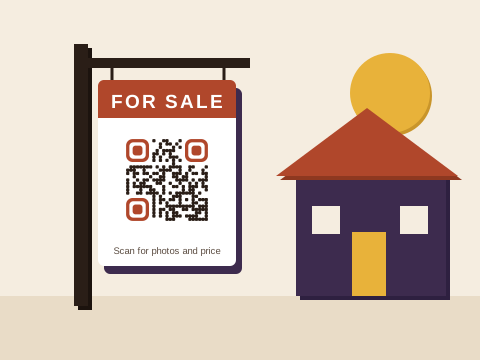
Estate and letting agents print codes on things that travel: a board planted on a front lawn for six weeks, a show-house A-frame loaded into the boot every Sunday afternoon, a stack of brochures, the card you leave behind with a seller. Each does a different job, and each wants a different kind of code.
Boards that move with you
For Sale, To Let and show-house boards go from one property to the next, so the code printed on them should be able to go too. On Plus or Pro, give each board its own code and a name you’ll recognise, such as Board 3 or Show-house A-frame. When the board moves, open its code and change where it goes to the new listing; anyone scanning sees the new house within a minute, once the new link passes its check. On Free, where a code always opens the link it was made with, let a board’s code open your page of current listings instead of a single house.
The real estate sign guide covers the rest of the board: what to link to, sizes for the pavement and materials that survive the weather.
Your contact card
A buyer leaving a show house with your card wants your number saved before the next viewing starts. The contact card tool makes a code that opens your name, agency and numbers with a Save contact button, so nobody types a thing. Use it on business cards, on the back of every brochure and on the visitors’ table at a show house. On Plus or Pro you can update the details when you change agency or number; on Free, pick details you’ll still have in five years. Layout and sizes are in the business card guide.
Brochures and listing packs
A printed brochure has room for six photos. The listing online has thirty, plus the floor plan, the rates and levies and a virtual tour. A link code on the brochure opens all of it, on your agency’s site or a property portal. Brochures go in the bin once the house is sold, so linking to the listing itself is fine here, even on Free.
On Pro, a PDF code can open the full brochure, made from your PDF or from up to 10 photos, and you can replace the file when the price is reduced. The PDF guide compares the two routes, and the flyer guide suits the leaflets you drop into post boxes before a show day.
Viewings by WhatsApp
Plenty of buyers would rather send a message than phone an agent they haven’t met. The WhatsApp tool makes a code that opens a chat with you, with the first words already typed: “Hi, I’d like to view 14 Protea Street this weekend.” Put one on the board’s rider and one on the cards in your office window. As long as your number stays the same, a Free code with a general message works for years; if the message names a property, choose Plus or Pro so you can rewrite it when the house is sold.
Before a show day, a code from the free Event tool on a leaflet adds the date, the hours and the address to a phone’s calendar. It can’t be changed once printed, so make it only when the day is settled.
Deposits, fees and scan to pay
Letting agents collect deposits and the first month’s rent, and some agencies charge an application fee. A code on the lease pack or the counter in your office can open the payment route you already use: a SnapScan or Zapper payment link, a Yoco payment page, a page on your agency’s site with a Payfast Pay Now button, a page with your agency’s bank details, or a PayShap payment link, if your bank gives you one that stays the same. Baobab QR never takes the payment. The code only opens your link, and the money moves from the tenant to your account through that service. On Plus or Pro, when you switch provider or bank, change the link, and the printed counter card stays exactly where it is.
Fake bank details are a familiar trick in rentals, so ask new tenants to confirm the account with your office before they pay.
Which plan suits an agency
- Free: a free account saves 3 codes that always go to the same place, such as your contact card, a WhatsApp code for viewings and a code for your page of listings. On top of those, Wi-Fi, email, text and event codes are free and unlimited; they hold everything themselves, so they can never change.
- Plus: 10 codes, each able to change where it goes up to 10 times a calendar month. Enough for an agent with a handful of boards.
- Pro: 100 codes, changed as often as you like, PDF brochures, and the full scan history of every board, so you can see which boards draw the most scans.
Downloading any code needs a free account, with an email address and a password. Prices are on the pricing page.
Codes buyers can trust
Buyers and tenants are right to be wary of codes around property, where large sums change hands. We check every link before your code goes live, again the next day, and then every month. A link that needs a closer look waits while we check it. Whenever a code is pointed somewhere new, the account’s owner gets an email, so a board quietly sent somewhere else wouldn’t go unnoticed. Anyone can report a code.
If you stop paying, your codes keep working under the Baobab Pledge: every board goes on opening where it last pointed. Three habits from our print tips help too: print the code into the board or card rather than on a sticker on top, show its short address beside it so people can compare it with what their camera shows, and look over your boards when you drive past.
Wondering what else a code could do for you? The ideas finder suggests three at a time, each with a tool set up to make it.
Sources
Checked on 31 October 2026, on each provider’s own pages:
- SnapScan: Payment Links, a link a merchant copies and sends.
- Zapper: online payments, QR codes shared as payment links.
- Yoco: Payment Links, where each link takes one payment and a Payment Page is one link any customer can use.
- Payfast: Pay Now buttons, for a website or an email.